- 1Tap the bubble
- 2Speak
- 3Words land
Press, speak,
done.
Start from the floating bubble, the Quick Settings tile or the microphone button in the app. Use the phone microphone or connected earbuds.
- 1
Tap the bubble.
A small recording bubble sits beside the keyboard you already use. Tap it, or hold it and let go when you finish.
- 2
Speak naturally.
Speech becomes text on your phone. Filler words go, and AI polish turns it into clear writing.
- 3
Your words land.
Finished text lands at your cursor in apps such as Gmail, WhatsApp and Chrome.
Cleans up
as you speak.
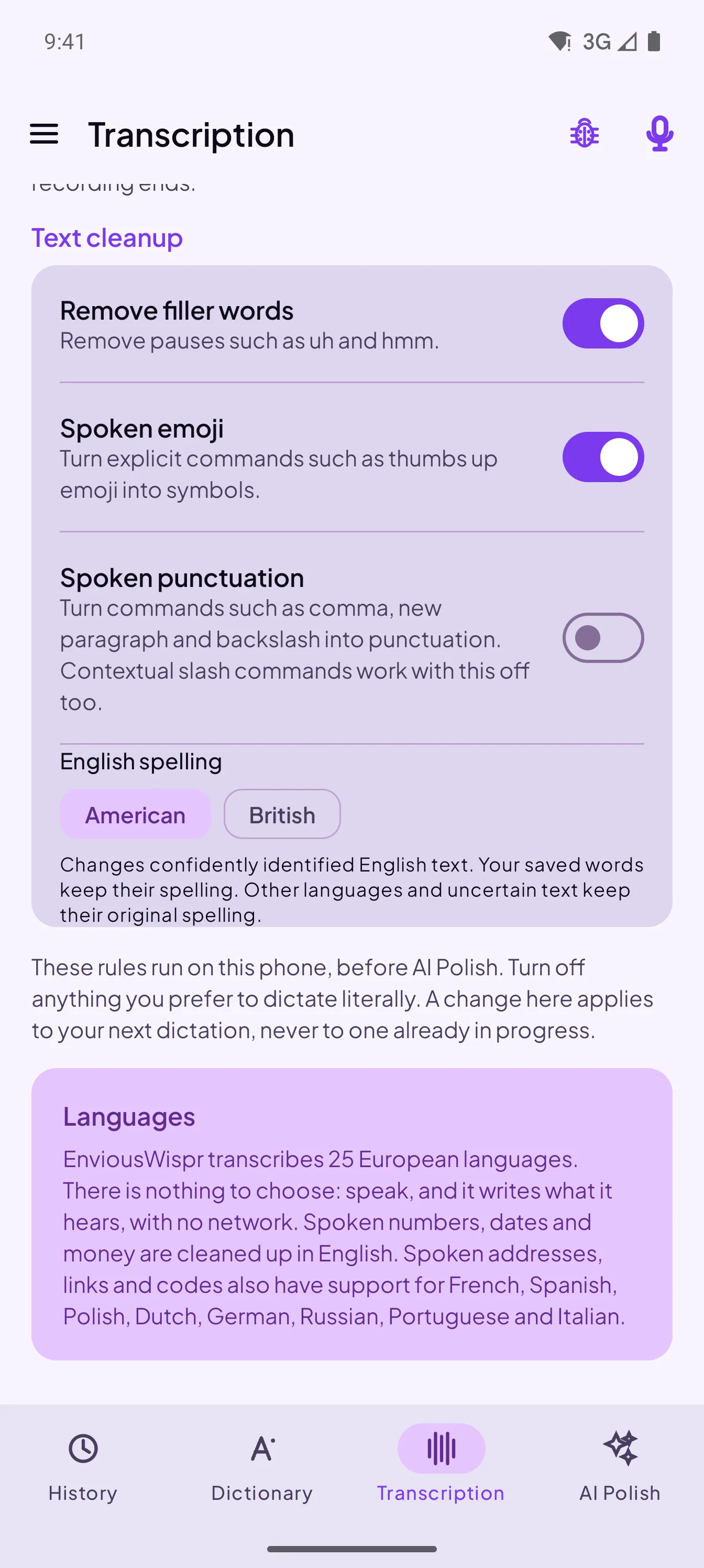
Filler words disappear. Optional switches turn “thumbs up emoji” into the emoji and spoken commands such as “new paragraph” into punctuation. Pick American or British spelling, and speak in any of 25 European languages.
Choose where
polish runs.
Pick it in the AI Polish tab, and change it any time.
S1-mini writing style
S1-mini was trained on three settings. Change them any time; a new pick applies to your next dictation.
- Tone
- CasualSemi-casualSemi-formalFormalSemi-formal keeps capitals and full stops. Casual and semi-casual write the way you would text.
- Structure
- ProseListsLists turns a spoken run of items into bullet points. Prose keeps everything as sentences.
- Context
- GeneralEmailEmail lays out a greeting line and a sign-off block when you dictate them. It changes nothing else.
Teach it
your names.
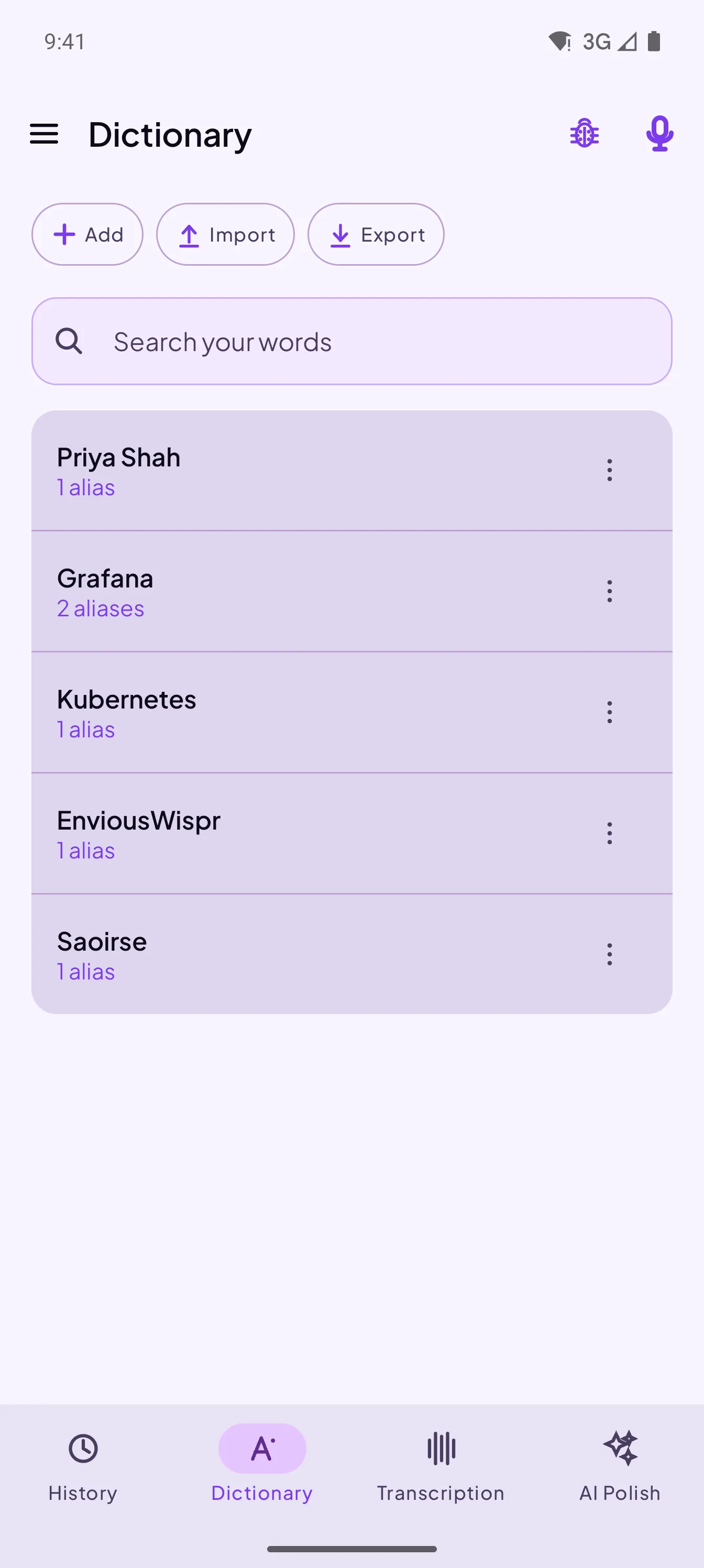
Add names, product terms and the ways they get misheard, so EnviousWispr can recognize your words.
Your dictations,
saved on your phone.
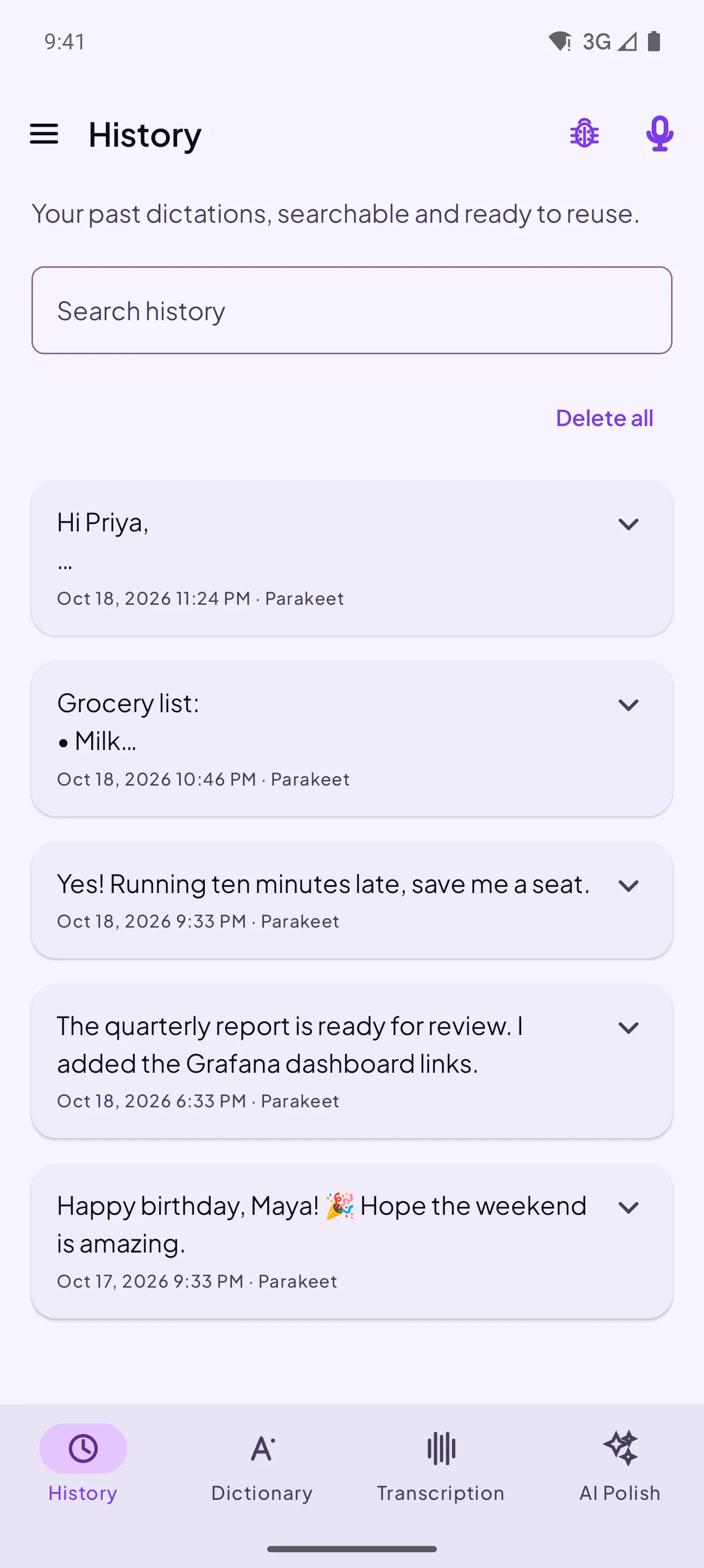
Completed dictations are saved in History. Search what you said and copy it again any time. History stays on your phone.
Your voice never
leaves your phone.
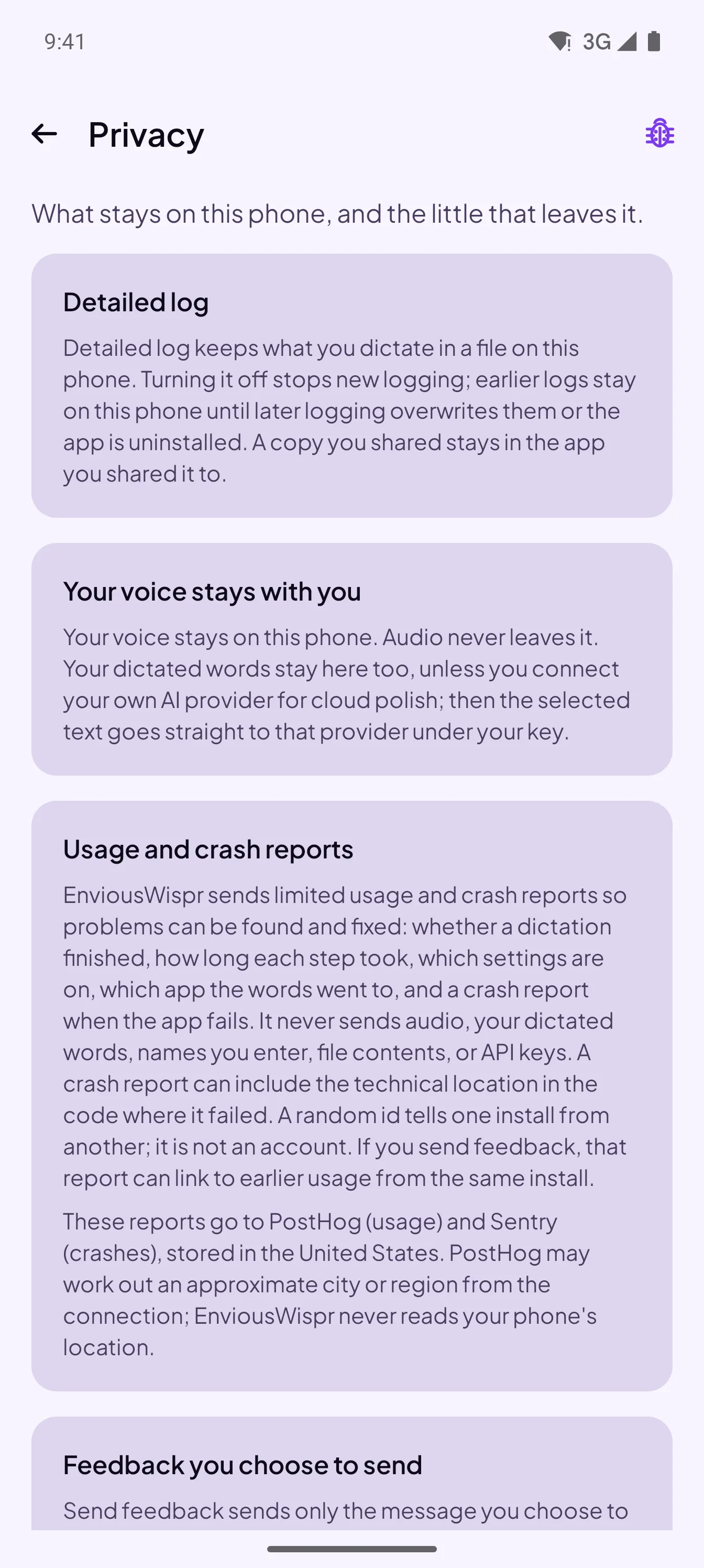
Speech recognition and local AI polish run on your phone. Audio is never uploaded.
EnviousWispr sends limited usage and crash reports so problems can be found and fixed. They exclude audio, dictated words, names you enter, file contents and API keys.
The app is open source under GPLv3, so anyone can read exactly what it does.
Check your phone.
- Android 13 or newer
- A 64-bit ARM phone
- At least 6 GB of memory
- About 1.2 GB of free storage for the two on-device models
Works best on recent flagship phones such as the Galaxy S26 Ultra and Pixel 8. Many mid-range phones work, with dictation and AI polish taking a few seconds longer. Entry-level phones with older processors are not supported. Wi-Fi is recommended for setup.
Questions people ask
Is EnviousWispr for Android free?
Yes. There is no app subscription, trial, account or ads. If you connect your own OpenAI, Anthropic or Google Gemini key for cloud polish, that provider’s charges and terms apply.
Does it replace my keyboard?
No. You keep the keyboard you already use. A floating bubble appears beside a compatible text box, and the finished text lands at your cursor.
Does it work without an internet connection?
Setup downloads two on-device models, about 1.2 GB, so Wi-Fi is recommended. After that, speech recognition and on-phone AI polish run on your phone. Cloud polish needs a connection.
Which phones does it support?
Android 13 or newer on a 64-bit ARM phone with at least 6 GB of memory. It works best on recent flagship phones such as the Galaxy S26 Ultra and Pixel 8. Many mid-range phones work, with dictation and AI polish taking a few seconds longer. Entry-level phones with older processors are not supported.
Why does it ask for Accessibility access?
EnviousWispr uses Android’s Accessibility access to find the text box you are typing in, show the floating bubble and insert text after you start dictation. It does not operate your phone on its own or send field contents to Envious Labs. You can turn this access off in Android Settings.
Does it sync with EnviousWispr for Mac?
No. There is no account, and nothing you dictate passes through Envious Labs, so each app keeps its own History and Dictionary on its own device.


Put your voice to work on the go.
Free on-device dictation for Android. No account. No subscription. No ads.
Get it on Google PlayAndroid 13+ · 64-bit · 6 GB memory or moreOn a Mac? Download for Mac